The tool: github.com/smpnet/switcher. The rest of this post is why it exists.
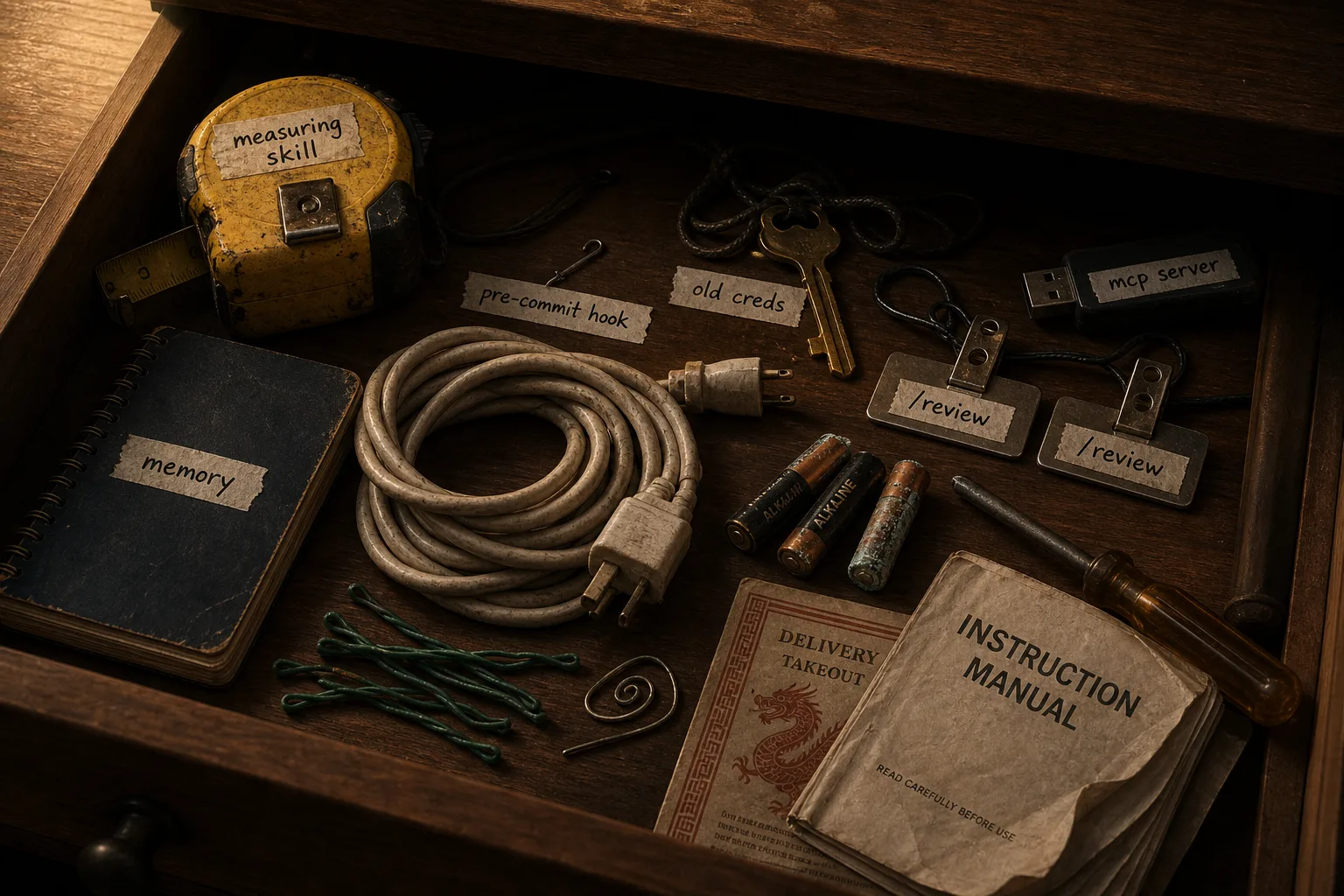
Everyone has the kitchen drawer.
Everyone has the cabinet above the fridge that nobody can actually reach.
Everyone has the desk drawer with a dead phone, three chargers (none of which fit a current device), and a coupon that expired in 2018.
You know the kitchen one best. Three batteries (one of them is dead, you’re not sure which). A takeout menu from a place that closed in 2022. Twist ties. The instruction manual for an appliance you no longer own. A screwdriver that doesn’t fit anything in the house. Two rubber bands and a paperclip somebody bent into a shape. A pen that may or may not work. A novelty bottle opener from a wedding.
You don’t actually know what’s in there. You just know that when you need scissors, this is one of the seven places you check.
Now open your ~/.claude.
The inventory
Let’s just walk through it.
A skill you installed eight months ago because somebody linked it on Twitter, which has fired exactly never. Three skills you installed last month and meant to evaluate but never did. A fourth skill you wrote yourself and have since forgotten the trigger phrase for. An MCP server you turned on once for a demo, which is still loaded into context every time you start a session, eating a few hundred tokens you never get back. Two memory systems, which is one too many, but you’re not entirely sure which one to remove. A hook that runs on pre-commit, which you wrote, which you’re now afraid to delete because you’re not sure whether anything else depends on it. Slash commands from a superpowers install, plus slash commands from your own config, with at least one collision on /review. A settings.json with an entry pointing at a model you no longer have access to. Credentials for an account from a previous job. Plugins from a fork of someone’s framework that no longer exists on GitHub. Conversation history going back to October.
That is one directory. That is one config. That is what is in your home folder, deciding what your agent does and how well it does it, every time you run Claude.
The compounding cost
Here’s the thing about kitchen drawers and ~/.claude directories: the cost isn’t static. It compounds.
Every dead skill is context the agent has to consider before deciding it’s not relevant. Every unused MCP is definitions getting pulled into the context window. Every slash command collision is a coin flip on which command actually runs. Every stale hook is a bug waiting to fire on the wrong commit. Every credential for an account you no longer have is a quiet error that breaks a tool nobody told you about. The directory was fine when it had six things in it. It is not fine now. And every week you don’t address it, two more things land in there.
You know all of this. You’ve known it for months. So why haven’t you cleaned it up?
Because the alternative — rm -rf ~/.claude and start over — is genuinely terrifying. You’d lose your auth. You’d lose your memory. You’d lose the customizations you actually do depend on, mixed in with the ones you don’t. There’s no undo. There’s no rollback. There’s no “let me try this and bail out if it doesn’t work.” It’s all-or-nothing, and “nothing” includes the parts you need.
So you don’t clean it up. You add to it. The drawer fills.
And then it’s Tuesday
Someone on Hacker News has shipped a new memory system for Claude Code. The benchmarks are absurd. The README has a graph that goes up and to the right.
You want to try it.
Your current procedure for trying it goes something like this:
cp -r ~/.claude ~/.claude.backup.real.final.v3You install the new thing. It writes to ~/.claude/skills/, which is fine, except it also drops a hook in ~/.claude/hooks/, which collides with the hook you wrote three months ago. You don’t notice this for forty minutes. By the time you do, your existing setup is producing weird outputs, your slash commands aren’t behaving, and you’re not sure whether the problem is the new memory system or the collision or your own misconfiguration.
You restore the backup. The restore takes longer than expected because some of the files are read-only. Your auth state has rotated in the meantime, so Claude wants you to log in again. You do. You go back to your real work, twenty minutes behind where you wanted to be, with absolutely zero new information about whether the memory system was any good.
This is not a story about that one memory system. This is the story of every new agent harness component shipped in the last six months. And it’s the same story as the junk drawer, just told forward instead of backward. You can’t clean up because there’s no rollback. You can’t try new things because there’s no rollback. It’s the same missing primitive.
The actual problem is older than agents
Agent harness configurations are stateful applications living in a single directory, and we’ve been trying to manage them by hand. There’s no environment isolation. There’s no snapshot. There’s no rollback. There’s no separation between “the setup I rely on every day” and “the thing I’m currently evaluating.” Everything goes into the same ~/.claude and you pray.
This is exactly the problem that virtualenv, conda, and Docker all solved at different points in the last twenty years. The shape is the same:
- You have a directory full of state that affects how something runs.
- You want to try a change without committing to it.
- The cost of “trying without committing” needs to be roughly zero, or you stop doing it.
- If you stop doing it, you stop evaluating new things, which means you stop getting better.
Step 4 is the one that bites. The amount of new tooling shipping for agents right now is genuinely wild — new memory architectures, new skill packs, new MCPs, new model gateways, new hook frameworks. The teams that can evaluate three of them this week, instead of one, will pull ahead. The teams stuck with cp -r ~/.claude ~/.claude.backup.actual.v4 won’t.
You could do this by hand
You can absolutely solve this without a new tool. Point CLAUDE_CONFIG_DIR at one directory for your daily driver, another for the experiment, another for a clean baseline. Symlink ~/.claude around when you need to swap. Write a shell function that does the symlink swap and re-exports the env var. Keep a mental map of which directory has which credentials, because none of them are seeded from the others — every swap is a fresh login. Remember to clean up after each experiment. Don’t forget that some other tool on your machine — an IDE plugin, a cron job, a hook somebody else wrote — is reading ~/.claude directly and won’t notice the env var change at all.
This is the pip install --user era of agent harness management. It works. People managed Python dependencies this way for years. The point of virtualenv wasn’t that it could do something PYTHONPATH and a careful brain couldn’t — it’s that it made the cheap thing be the default thing, and stopped you from having to hold the whole map in your head.
Switcher is that, for ~/.claude. You can build the same thing yourself out of env vars and symlinks. Most of us won’t, and that’s the point.
What “near zero cost” looks like
Switcher is a small tool that gives you the same primitive virtualenv gave Python developers in 2007. It treats your agent harness directories as state, snapshots them on demand, and atomically swaps between profiles in one command. It speaks ~/.claude, the GitHub Copilot CLI’s config, and Codex’s — the kitchen-drawer problem isn’t Claude-specific; the directory names just change. I’ll keep using ~/.claude as the running example because that’s where I live, but everything below applies the same way to the other two.
The “declare bankruptcy on the drawer” workflow:
switcher init                       # one-time: capture your current mess
switcher save the-old-drawer        # snapshot it under a name (just in case)
switcher use vanilla                # drop to a clean baseline — your auth still works
That’s it. Your ~/.claude is now a freshly minted, empty profile. No skills. No MCPs. No hooks. No plugins. No collisions. Your credentials are still there, because switcher seeds them across profiles, so Claude doesn’t re-auth. The old drawer, with all its accumulated nonsense, is preserved as a profile called the-old-drawer, and you can switch back to it at any time with one command if you discover you actually needed something from it.
The Tuesday workflow:
switcher save before-experiment      # snapshot current setup
switcher create try-new-memory       # new profile, credentials seeded
switcher use try-new-memory          # atomic swap
# install the new memory system
# play with it
If it’s great, you keep using it. If it’s terrible:
switcher use before-experiment
# you're back. Done.
There is no backup. There is no restore. There is no re-auth. There is no praying. The credentials carry forward across profiles because switcher seeds them at create-time, so the cost of switching is basically the cost of one symlink rename. On POSIX it’s literally one syscall.
You haven’t gained any magic. You’ve just removed the friction.
The behavioural change is the actual product
Tools like this look small on paper, and people sometimes underestimate them because the README fits on one screen. The interesting effect isn’t in the README — it’s in what you start doing once the friction is gone.
A few things I’ve noticed since I’ve had this in my own workflow:
- I try more things. Not “one or two more things.” A lot more things. Stuff I would have skipped a month ago because the setup cost wasn’t worth the chance the new tool was actually any good.
- I keep cleaner profiles. When trying a new thing is cheap, throwing away the failed experiments is also cheap. Nothing accumulates in my “real” profile that doesn’t earn its place.
- I run side-by-side comparisons. “Does this new memory system actually beat the one I already have?” used to be a thought experiment because comparing them required two
~/.claudes and there’s only one of those. Now I just have two profiles. - I stopped being weirdly precious about my dot directory. It used to feel like a finely-balanced mobile that one wrong move would crash. Now it’s three or four small, focused profiles, each of which I could rebuild from memory.
That last one is worth dwelling on. The reason your ~/.claude feels precious right now is because it’s a singleton. Every change to it is a global change. Every experiment risks the working state. Once you have profiles, that fear evaporates. Your dot directory stops feeling like a high-stakes negotiation and starts feeling like, well, a config directory.
Change which option is the default
The reason kitchen drawers fill up isn’t malice or laziness. It’s the absence of any cheap operation for “remove things I don’t use.” Throwing things out feels like a decision; leaving them feels like the absence of one. So the drawer wins.
The same dynamic governs your ~/.claude. Cleaning up is a decision. Letting it accumulate is the absence of one. Trying a new tool against your real setup is a decision. Adding it to the pile is the absence of one. The directory wins. Every time.
The fix is not “be more disciplined.” The fix is to change which option is the default. Make the cheap operation be the deliberate one, and the expensive operation be the accumulating one. Profiles do that. When trying a new thing requires creating a profile for it, the half-evaluated experiments don’t end up in your daily-driver. When the daily-driver is itself a profile you built deliberately, the accumulation has nowhere to go.
That’s what switcher gets you. Not a new ecosystem. Not a new framework. Just permission to clean the drawer, with a guaranteed undo — and permission to try the shiny thing on Tuesday, with the same guaranteed undo.
Where it lives
Switcher is open and in active development. It works today for Claude Code, the GitHub Copilot CLI, and Codex. If your own drawer has been bothering you, that’s the link — clone it, kick the tires, file issues against what surprises you.
Two places help would move the needle
It’s also the link if you want to help build it. Two contributions I’d particularly love:
- More harnesses. Cursor, Aider, Continue, and whatever ships next Tuesday. The pattern generalizes — every agent harness lives in a directory with the same problem — and each new one is a contained PR. If you live in one of these tools every day, you’ll know its quirks better than I ever would.
- A Starship integration. Right now, knowing which profile is active for which harness means running a command. I’d love a Starship prompt module that surfaces it the same way you see your git branch or pixi env — passively, without having to ask. The state is already on disk; it just needs a renderer. This is a great first contribution if you’ve never touched the project before.
Bug reports from real workflows, PRs, and “I tried it on my actual setup and here’s what broke” are all welcome. There are a lot of drawers out there.