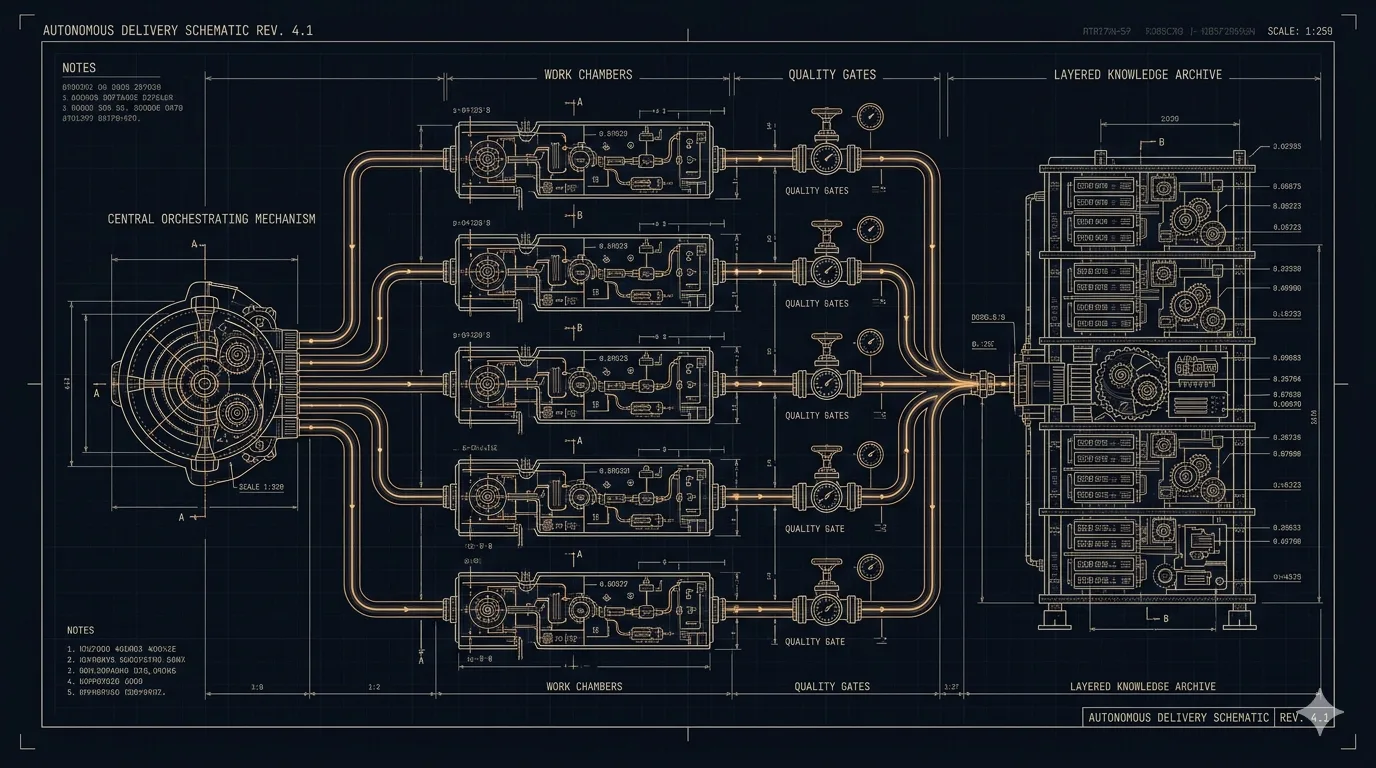
SwageKit started because I got tired of being the weakest link in my own development workflow. I’d spent months assembling the best AI coding tools I could find, stitching together autonomous agents, review loops, and quality gates — and the whole thing worked beautifully, as long as I never forgot a step, never got lazy, and never needed to use the bathroom.
If you’ve been in software long enough, you know that writing code is maybe 30% of shipping software. The rest is reviews, testing, QA, integration, conflict resolution, regression checks, documentation, and making sure nobody shipped something that puts customers at risk. Every AI coding tool I tried automated the 30% and left me holding the bag on the other 70%.
This isn’t a product that came out of a roadmap or a sprint planning session. SwageKit came out of frustration — the kind you accumulate over months of watching AI coding tools almost work, almost deliver, almost be the thing you needed them to be. It’s the product I built because the product I wanted didn’t exist. What follows is how I got here, what I learned along the way, and why I made the choices I made.
Part One: Why This Exists
The Problem With Every AI Coding Tool You’ve Ever Tried
One of the challenges I’ve found working with AI coding tools — and there are many of them out in the wild — is that they all prescribe capabilities and workflows for your development process. Which is fine. We always have something to learn from the engineers, developers, and projects around us. But when you actually sit down to use these tools, it’s remarkably hard to understand how the author intended you to cobble everything together to produce fully functional, fully tested, secure software on day one.
So you end up fighting the toolkit. You get surprised by outcomes. You cherry-pick the parts that work, abandon the parts that don’t, and you never really realize what the author intended. It’s like buying IKEA furniture where the instructions are for a different model and half the critical parts are missing.
The Slot Tournament at Caesars
I got so tired of sitting at my workstation like I was in a slot tournament at Caesars Palace, slapping my Enter key while Claude CLI and Codex peppered me with questions. “Do you want to proceed?” Yes. “Should I create this file?” Yes. “Is this what you meant?” YES. JUST BUILD THE THING. Sure you could just go off with —dangerously skip-permissions, but I found at times that was, umm, dangerous.
I also got enormously frustrated trying to ensure that the workflows I’d been using — all the loops of reviews, reviews with context, fresh reviews from another persona, reviews from tools like CodeRabbit and Greptile, doing this across development, QA, regression — were actually occurring in a repeatable way. I’d built this elaborate process in my head, and every time I ran it, I was the orchestrator. If I forgot a step or got lazy on Tuesday afternoon, the quality dropped. The human was the single point of failure, and the human wanted to go outside.
This Is Actually Hard
Writing production-grade software is the most complicated workflow you might ever challenge AI agents to solve. If you’ve spent any time in the tech industry — and certainly if you work for a highly regulated organization — you know the complexity we’ve built into our development and engineering workflows. There’s a reason it looks the way it does. Mandatory code reviews with sign-off chains. Change advisory boards that meet on Tuesdays. Security scans that gate every merge. Compliance frameworks that dictate how you log, what you encrypt, and where data can live. Tickets in Jira, issues in GitHub, epics in Linear — all with their own status flows, priority fields, and the unspoken rule that if it’s not in the board it didn’t happen. Integration pipelines that haven’t been touched since 2019 because the person who built them left and nobody wants to find out what happens if you change them. These aren’t suggestions — they’re the walls you build inside of, and they exist for a good reason. You have to integrate into all of it and make sure the code you’re shipping through those gates is actually excellent. That’s the real challenge — not just writing code, but writing code that survives the gauntlet your organization built to protect its customers. It’s absolutely unacceptable to ship software that puts the customer at risk. Full stop.
Part Two: What SwageKit Is and How It Thinks
What SwageKit Actually Is
What I tried to do with SwageKit is build a meta-agent that leans on the learnings of Paperclip, OpenClaw, gstack, Hermes agent, Superpowers, SuperClaude, and others. You’ll find a culmination of those projects’ skills and approaches in the teachings. And those teachings aren’t sacred — you can CUD anything you like (yes, CUD — the teachings already read themselves into the agents, so you just create, update, and delete). Add what fits your workflow, remove what doesn’t. It’s your kitchen.
Here’s the shape of the difference. The rest of Part Two elaborates each row.
| Dimension | Typical AI coding tool | What SwageKit does differently |
|---|---|---|
| Spec handling | Accepts your prompt, starts building immediately. | Runs a spec review gate — an agent tries to poke holes in your spec and pauses for you to weigh in on serious concerns. |
| Agent isolation | Agents share context or files; race conditions possible. | Per-task git worktree, enforced by the workflow. Nobody steps on anyone. |
| Conflict resolution | git merge -s ours and hope, or fail. | Dedicated resolution agent reads both sides, understands intent, runs a compile check to confirm. |
| Review pipeline | Single review pass. Pick or reject. | Self-review + CI + tool review (CodeRabbit, Greptile, etc.) + sprint review. Worst status wins. |
| QA | Runs the test suite. Green = done. | Spec QA (does the code match the spec?) + exploratory QA (actively tries to break things). Fix loops until clean. |
| Learning | Dump completed work into a vector DB, hope future agents find it. | Observations → patterns → skills → teachings, promoted only through independent reinforcement. Contradictions get adjudicated, not ignored. |
| Durability | Kill the process mid-run; start over or pay to figure out where you were. | DBOS durable workflow — crash at any step, resume exactly where you left off, no redundant work. |
“Typical AI coding tool” is a composite — the baseline I got frustrated with across months of trying the ones in the wild, not a claim that every tool fails every dimension.
Writing the Spec Is the Job
Here’s the thing nobody wants to hear: writing the spec and plan of what you’re going to build is paramount. This is where you act as the architect, the product owner, crossing every T and dotting every I. There is nothing autonomous about this phase. This is the one shot you get to use your human brain — the part the models can’t do for you. What we know about even the smartest models on the planet is that if you don’t give them context, they will gap-fill, hallucinate, and hand you something aggressively mediocre.
This is where the real work happens. You sit with a capability like superpowers brainstorming and go back and forth refining your spec. You review it with Opus. You review it with GPT. You find concerns, resolve them, loop. Refine until it’s airtight.
But then what? Where do you go after the spec is done? You hand it to SwageKit.
The System Challenges Its Own Spec Before Writing a Single Line of Code
Most AI coding tools take your prompt and start building immediately. SwageKit runs a spec review gate before any code is written. An agent loaded with planning-phase teachings reads your spec, your plan, and the task decomposition, and actively tries to poke holes in it. If it finds something serious, it creates a GitHub issue, pauses the entire workflow, and waits for you to weigh in. If the concerns are minor, it annotates them and passes them downstream so every agent knows what to watch for.
This is the equivalent of a staff engineer reading your design doc before sprint planning and saying “have you thought about X?” — except it happens every single time, and it never phones it in because it had a long lunch.
The Dependency Graph Is Real
SwageKit doesn’t just throw tasks at agents in parallel and pray. The analysis agent decomposes your plan into tasks with explicit dependencies. Those dependencies are validated — cycles are detected and rejected. Tasks without dependencies are dispatched immediately. Tasks with dependencies wait. When a dependency completes, its branch is merged into the dependent agent’s worktree before that agent starts, so it’s building on top of real code, not guessing at interfaces.
This is how a real engineering team works. You don’t start the API integration before the API exists. SwageKit knows that. There are a million skills and a hundred ways to solve this with any agent harness. SwageKit just bakes it in so you don’t have to think about it.
Every Agent Works in Isolation — Nobody Steps on Anybody’s Toes
When SwageKit dispatches parallel tasks, each agent gets its own git worktree — a completely isolated copy of the repo with its own branch. Agents can’t corrupt each other’s work. They can’t race on the same files. When they’re done, branches are combined in dependency order using topological sort, and if there are merge conflicts, a dedicated resolution agent reads both sides, understands the intent, resolves the conflicts, and runs a compile check to make sure it didn’t break anything.
This isn’t git merge --strategy ours and hope for the best. It’s an agent that reads the conflict markers and thinks about what both sides were trying to do.
Agents Help Each Other When They Get Stuck
When a task agent hits a wall — missing context, unclear requirement, dependency it can’t resolve — it doesn’t just fail. It reports a blocker to the steering workflow, which spins up a resolution agent. The resolution agent has access to the summaries of all completed tasks. It reads the blocker, synthesizes what it knows from the work that’s already been done, and sends the stuck agent the context it needs to continue.
This is the equivalent of the senior dev on the team Slacking “hey, the auth middleware that just landed exports the token validator from src/middleware/auth.ts — import it from there.” Except it happens automatically, and nobody has to context-switch out of whatever they were doing.
The Review Pipeline Has Four Layers and It Doesn’t Get Tired
After code is written, SwageKit runs a multi-layer review stack:
- Self-review — a fresh agent (not the one that wrote the code) reviews against an 8-step methodology. It doesn’t just flag issues. It fixes them and re-verifies in a loop until the review comes back clean.
- CI review — polls your GitHub checks. If CI fails, an agent reads the failure, fixes the code, and retries.
- Tool review — pluggable external tools (CodeRabbit, Greptile, whatever you wire up) with iteration until green.
- Sprint review — for multi-task sprints, a holistic review of how all the pieces fit together.
The key design decision: worst status wins. If any layer finds a problem, the whole thing isn’t clean. There’s no “well, three out of four passed.” This is the rigor you always wanted in your development process — except now it’s automated and it never skips a step because it’s 4pm on a Friday.
QA Runs Two Agents With Different Mandates
After the code is merged, SwageKit doesn’t just run your test suite. It dispatches two QA agents:
- Spec QA — walks through every example and requirement in your spec and validates that the code actually does what was promised. Not “the tests pass” — “the spec says X, does the code do X?”
- Exploratory QA — reads the codebase, finds untested paths, and actively tries to break things. This is the agent equivalent of the QA engineer who ignores the happy path and immediately starts entering emoji into the phone number field.
Both results are aggregated. If either finds errors or warnings, a fix agent is dispatched, the fix is delivered through the same pipeline, and QA runs again. This loops up to a configurable number of cycles. The system doesn’t ship until QA is clean or it’s exhausted its fix budget and tells you what’s left. No silent failures. No “it compiled so it’s probably fine.”
Learning Is Not a Vector Database You Stuff Things Into
There’s a challenge that all AI coding tools share, and I wanted to solve it differently: learning. Learning is not memory. It’s not state. It works like how the human mind works.
When an agent finishes work, an extraction agent reviews what happened — how the agent solved the task, what it ran up against and how it worked through it, the code changes, the review findings — and proposes learnings. Each proposal is checked against existing knowledge using vector similarity. Duplicates are dropped. Refinements create supersedes edges in a knowledge graph. New observations start at the bottom.
Here’s where it gets interesting: observations have an observation count. Every time the same insight is independently observed again by a different workflow, it gets reinforced. After enough reinforcements, the maintenance system considers it for promotion — from observation, to pattern, to skill, to teaching. Teachings are what get loaded into agent system prompts. Things that stop being observed eventually get pruned.
Teachings aren’t dumped into every agent as an undifferentiated blob. Each agent gets teachings scoped to its phase — implementation agents get implementation craft, review agents get review methodology, QA agents get testing patterns, the resolution agent gets unblocking playbooks. Same knowledge graph, different slice for each job. Agents stay on task, and token budgets don’t get chewed up on material they can’t use.
Learning runs both directions. When an agent follows a teaching and it produces a wrong outcome, it reports the contradiction back. Maintenance adjudicates — the teaching gets superseded, its confidence gets downgraded, or the concern gets dismissed with rationale. Teachings are not sacred. The system can change its mind when the evidence tells it to. That’s the part most “learning” systems skip: if you only reinforce what works, you end up with a confident and wrong system.
This means SwageKit literally gets better at building software the more you use it. Cross-project insights compound — the tenth project benefits from everything the first nine taught it. Project-specific quirks stay local, scoped to that repo so they don’t pollute other work. And because reinforcement requires independent validation across different runs, it’s not just memorizing your quirks — it’s converging on what actually works. This is how developers and engineers get better in a real organization — through repetition, pattern recognition, and institutional knowledge. Except here, that institutional knowledge also saves you an enormous amount of tokens, because agents that already know what works don’t waste cycles rediscovering it.
Part Three: The Practical Stuff
Built for the Inner Loop
That 70% from the intro? SwageKit handles it — but specifically for greenfield delivery. This product was designed to sit in the developer inner loop where you’re building something for the first time. While it can be used to contribute anywhere a project might be in its roadmap journey given enough spec and plan development, the core question was: How do I get this super awesome idea off the ground? How do I get something enormously complicated built for the very first time?
Not maintenance. Not incremental tickets. The zero-to-one moment where you need the entire system to materialize, correctly, from a blank repo.
You Pick the Model for Each Phase
SwageKit lets you assign different models to different roles. Opus for steering and analysis where you need the deepest reasoning. Sonnet for implementation where you need speed and competence. Haiku for extraction and maintenance where you’re doing lightweight classification work. This isn’t just a cost optimization — it’s matching the model’s strengths to the job. You don’t need Opus to count observation reinforcements, and you don’t want Haiku making architectural decisions about your task decomposition.
Think of it like staffing. You don’t hire a principal engineer to write unit tests, and you don’t ask the intern to design the system architecture. Same budget, better allocation.
It’s Durable — Crashes Don’t Kill Your Sprint
The entire workflow runs on DBOS, which means every step is durably recorded. If your machine crashes, your network drops, or you accidentally close your terminal (we’ve all done it — usually right after dispatching five parallel agents), you resume exactly where you left off. swagekit sprint --resume <workflow-id> picks up from the last completed step. You don’t re-run analysis. You don’t re-dispatch completed tasks. You don’t pay for work that’s already done.
This sounds like table stakes, but go try it with most AI coding tools. Kill the process mid-run and see what happens. Best case, you’re paying for a bunch of agents to figure out where things left off and how to get back on track. Worst case, you’re starting over from scratch. Either way, you’re burning tokens you didn’t have to burn.
Yes, the Tech Stack Is Spicy
You’ll find that the technology choices are bleeding edge. If I were designing this for a large enterprise, I would have made completely different decisions. SurrealDB has a scaling architecture on paper, but independent proof at scale is scarce — which is fine, because it’s perfect for the inner-loop single-user focus, and it collapses a bunch of data concerns into one product. Same goes for DBOS — if I were building for teams, I’d probably have reached for Temporal. But I approached this from a different angle: this should be fun. And fun for me has always meant tinkering with the latest and greatest technology. If you’re not occasionally terrifying your future self with your dependency choices, are you even having a good time?
What You Won’t Find Here
SwageKit integrates with Claude Code — that’s it. One agent harness, deeply. The developers at Anthropic are smart — imagine that — and have built absolutely incredible technology into Claude CLI. Why wouldn’t I lean into that rather than spreading thin across Qodo, Droid, Kiro, and whatever ships next Tuesday? Do one thing well — that’s what I always say. There are already amazing products that connect you to everywhere you work. That wasn’t the goal.
And honestly? It’s easy to hand SwageKit to all those other capabilities and get integrated instantly. What I wanted from this product was for it to output amazing, highly complex software autonomously, that’s lights-out from day one. I wanted to be out in the garden, in my garage, socializing with friends, while it did my bidding. The whole point was to stop being the button-slapping slot jockey.
On Cost and Tokens
One more thing. SwageKit handles coding plan exhaustion, so you can start with a twenty-dollar plan today. If you want your software delivered faster, invest in more tokens. Simple as that.
What you’ll find is that while I’ve been optimizing for less and less token usage — and it’s certainly not as sloppy as a brute-force loop — you’re still going to chew through a considerable amount of tokens on complex projects. And that shouldn’t surprise anyone. Great software requires a lot of engineers, developers, testers, QA — a lot of eyes contributing. This is no different. It’s not magic. It doesn’t materialize projects without hard work, just like what happens in the real world.
The difference is that the hard work happens while you’re watering your tomatoes.
Go Build Your Own
Here’s the thing I really want you to take away from this: you should build your own SwageKit. I mean that. Steal from this one — take the spec review gate, take the learning system, take the QA loop, take whatever speaks to you. Throw away the rest. Wire it up differently. Pick technologies that make you happy. Use Temporal instead of DBOS. Use Postgres instead of SurrealDB. Throw away orchestration entirely and go with choreography. Use something that doesn’t exist yet. It doesn’t matter.
Build from scratch. You’ll look at SwageKit and realize it could have — probably should have — been built on top of MemPalace, Mem0, Hindsight, Supermemory, or Zep for the knowledge system alone. I could have just configured tools like OpenClaw, Hermes Agent, Nanoclaw, Paperclip, and a dozen others until they did exactly what I needed. I didn’t. I built my own, in Python, from the ground up — because nothing you import will ever teach you what a system you built yourself will.
We’re living in a moment where the tools to build tools are better than they’ve ever been. A single developer with a clear idea of how they want software built can encode that entire philosophy into a system that executes it autonomously, consistently, and without getting distracted by Slack. That used to take a platform engineering team and a six-figure budget. Now it takes a spec, a plan, and a willingness to argue with an LLM until your brainstorming session is actually good.
Fork SwageKit. Gut it. Keep the three ideas that resonate and replace everything else. Build something that matches how you think about quality, how you structure reviews, what you refuse to ship. The developers who thrive from here on out won’t be the ones who write the most code. The edge belongs to the ones who build the best systems for producing code — the ones who encode their standards, their quality bar, their paranoia about shipping something broken without flinching.
Your SwageKit doesn’t need to look anything like mine. It just needs to exist.